


Vinyl Casino Mobile App: How to Play on Mobile & Install Guide
If you love spinning on the go, you will be happy to know Vinyl Casino is fully tuned for mobile play. You get the full website on your phone, plus a quick “Create Shortcut” option that makes us feel like a native Vinyl Casino application.
Introduction
You can reach Vinyl Casino on mobile through your regular browser, then optionally add a Home Screen shortcut using the built-in “Create Shortcut” feature linked in our footer. That way, you tap an icon, jump straight into the lobby, and skip typing the URL every time.
Now, the goal here is simple: show you how to set that Vinyl Casino shortcut up on iOS and Android, register, log in safely, and keep things secure while you play. You will not need to download any extra Vinyl Casino APKs or search app stores to get going.
Is There an “App” for Vinyl Casino?
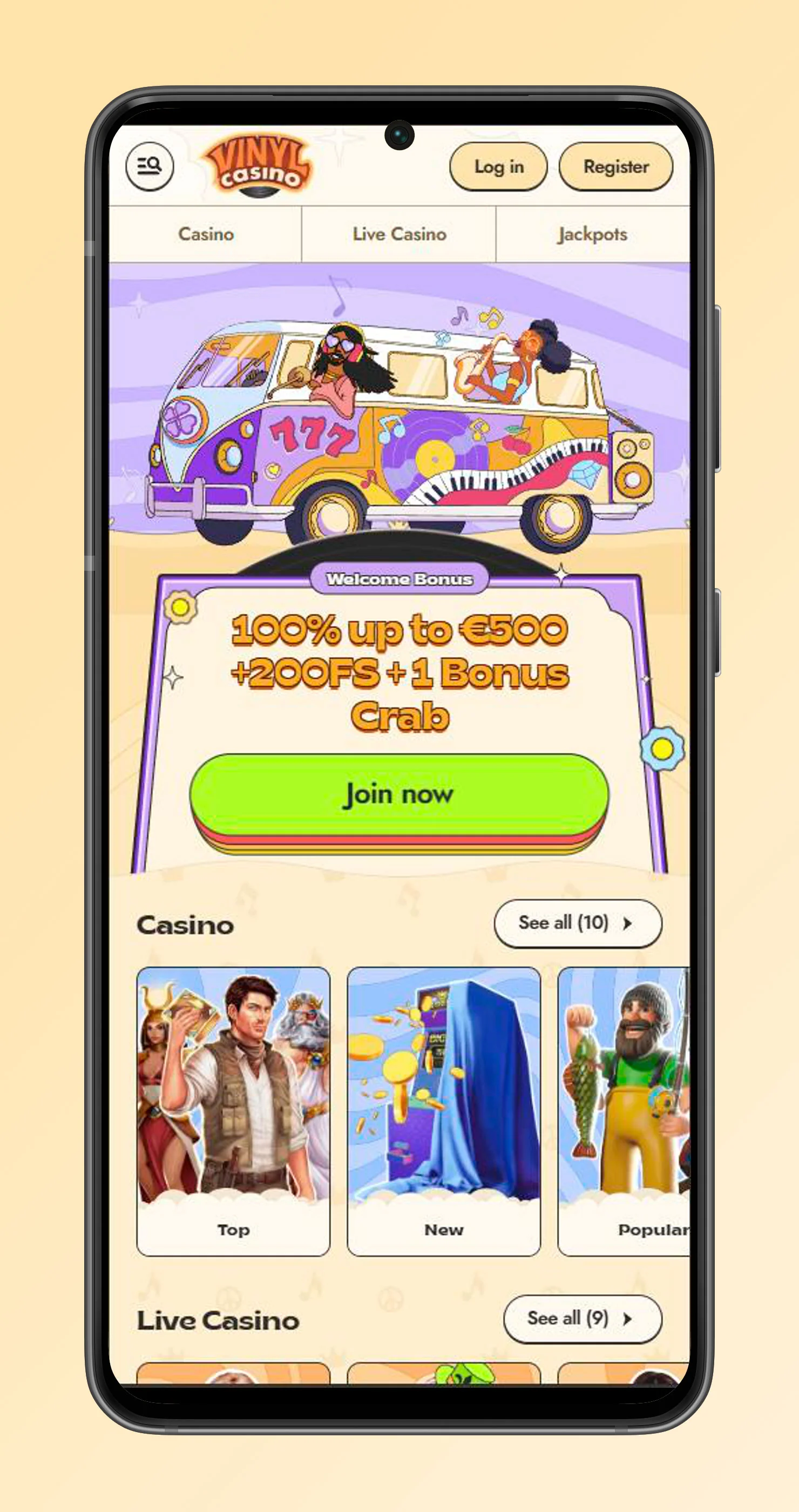
There is no separate native Vinyl Casino app to download in the App Store or Google Play that you need to install for Vinyl Casino. Instead, we run as a fully responsive mobile site, plus a Home Screen shortcut option that makes us behave very close to a Vinyl Casino app on your phone.
You will see a “Create Shortcut” link in the footer navigation, which leads you through adding Vinyl Casino to your device’s Home Screen. That shortcut opens in its own window and keeps you just one tap away from the lobby.
What’s available: mobile web + shortcut
Here is what you actually get on mobile without the Vinyl Casino application:
- Full access to games, payments, promotions, VIP, and Help Centre directly in your phone browser.
- Navigation sections like Casino, Live Casino, Jackpots, Challenges, Bonus Crab, Shop, and VIP are accessible from the mobile menu.
- “Create Shortcut” link in the footer that helps you pin Vinyl Casino to your Home Screen for instant access.
- Same fast payouts and support options as desktop, including Live Chat and email.
You are basically getting the full Vinyl Casino experience, just repackaged for a smaller screen.
When a shortcut is better than a browser tab
Using the shortcut instead of a normal tab makes a lot of sense if you:
- Jump in and out several times per day, and do not want to retype or search the URL every time.
- Prefer Vinyl Casino to feel like a standalone app with its own icon and dedicated window.
- Hate losing your session because you accidentally closed all tabs in your browser.
- Switch devices a lot and just want a simple, muscle memory tap to open the lobby instantly.
Bottom line, if Vinyl Casino is one of your main gaming spots, spending 10 seconds to add the shortcut is worth it.
How to Install App
Let us dig into how to “install” Vinyl Casino as a pseudo APK by adding it to your Home Screen. You can also follow the “Create Shortcut” link in our footer for a quick reminder at any time.
iPhone & iPad - Add to Home Screen
With Vinyl Casino on iOS, you use Safari’s built-in Add to Home Screen feature:
- Open Safari, go to vinylcasino.com, and log in if you want faster access next time.
- Tap the Share icon, scroll down, and choose “Add to Home Screen”, then confirm the name.
- A Vinyl Casino icon appears on your Home Screen, tap it to open us in a separate window just like an APK.
If you ever forget the steps, you can hit the “Create Shortcut” link in the footer and follow the on-screen hints.
Android - Add to Home Screen
On Android, the Vinyl Casino flow is similar, just with Chrome or your main browser:
- Open Chrome, type vinylcasino.com, and let the site load fully.
- Tap the three-dot menu, choose “Add to Home screen” or “Install app” if offered, then confirm.
- The new icon shows on your Home Screen or APK drawer and launches Vinyl Casino in its own window.
Again, the “Create Shortcut” link at the bottom of our site works as a reminder if you need one.
Updating, removing, and troubleshooting the shortcut
There is nothing to “update” manually, because the shortcut always loads the current version of Vinyl Casino automatically. If the icon ever behaves oddly, you can remove and recreate it in a few seconds.
- To remove, just long-press the Vinyl Casino icon and delete it like any other app.
- To fix loading issues, clear your browser cache, make sure cookies are allowed for vinylcasino.com, then add the shortcut again.
- If problems persist, Live Chat and Help Centre articles are there to walk you through more detailed troubleshooting.
Mobile Registration & Login
You can create your Vinyl Casino account from your phone in the same way as on a desktop. Mobile registration is available directly via the Register button in the header.
Once you are in, logging in on shared devices just needs a couple of extra safety habits, like not saving passwords in the browser and always logging out when you are done.
Creating an account on mobile
To sign up on mobile:
- Tap the Register button at the top of the screen and fill in the requested details.
- Confirm your age, agree to Terms and Conditions, and complete the registration step outlined in the Help Centre “How can I join website?” article.
- Once created, you can deposit, claim promotions, and play the same 4,000+ games as on desktop.
If you get stuck during registration, you can also ping support via Live Chat right from your mobile screen.
Signing in securely on shared devices
When you play from a shared phone or tablet, you want to keep your account locked down:
- Avoid letting the browser remember your password on devices that other people use.
- Always use the Log out option when you are done, especially if you added a Home Screen shortcut.
- Do not share your login details, and make sure your email account (used for password recovery) is also protected.
If you ever cannot log in, the Help Centre includes multiple articles on login issues and password recovery, all accessible on mobile.
Mobile Gameplay Basics
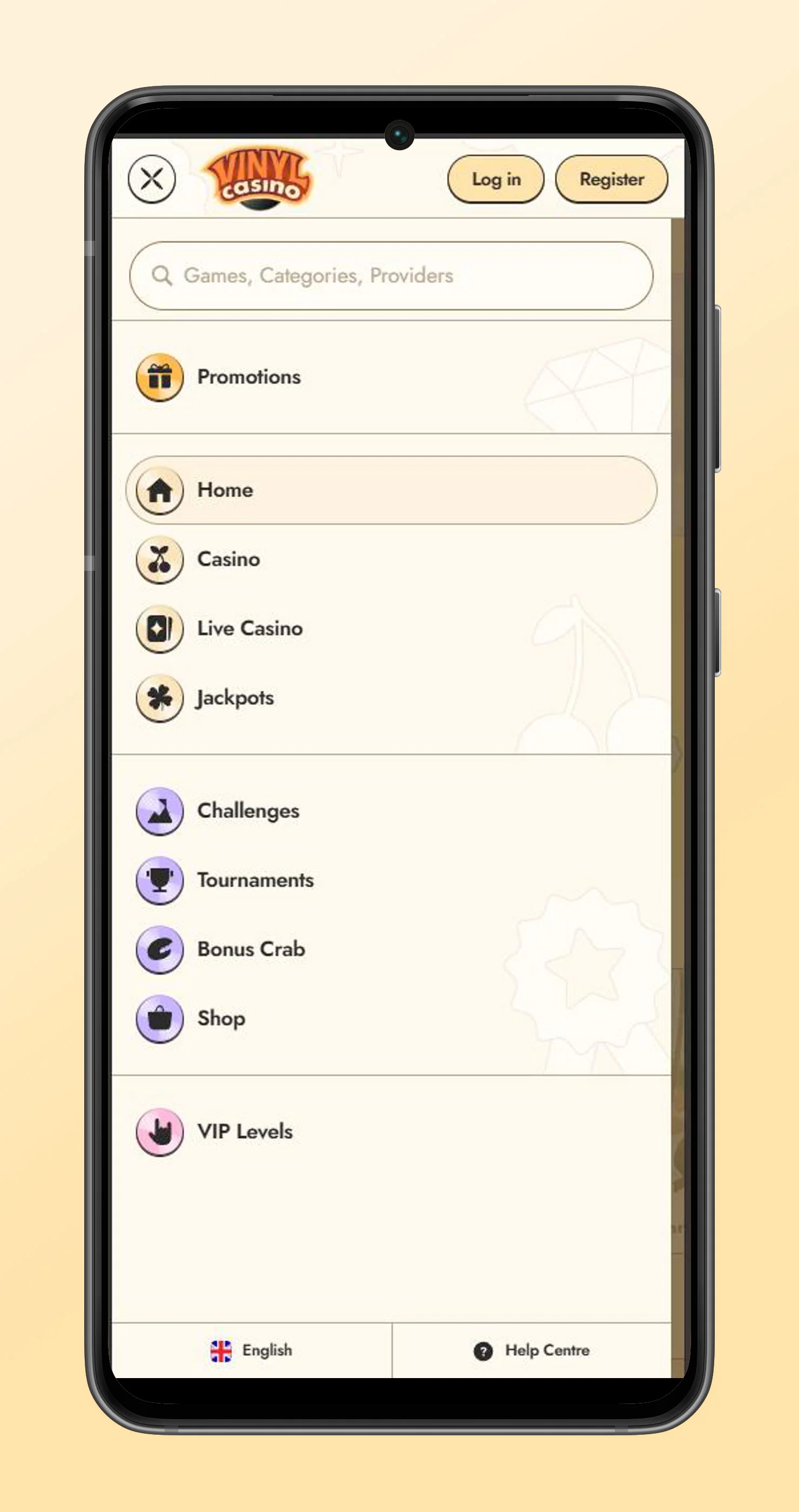
Once logged in to Vinyl Casino on mobile, everything in the lobby is optimised for touch. You can browse Casino, Live Casino, Jackpots, Challenges, Bonus Crab, Shop, and VIP directly from the sidebar navigation, just like on desktop.
- Tap a game tile to launch it in portrait or landscape, depending on how the provider built it.
- Use the burger menu to jump between Slots, Live Games, Table Games, and other categories.
- Payments, promotions, tournaments, and Challenges are all accessible and usable from mobile.
If a game feels laggy, try switching Wi Fi, closing background apps, or rotating the device, then reload.
Account Safety & Verification on Mobile
Vinyl Casino treats mobile sessions with the same level of security as desktop sessions. The site uses encrypted connections and strictly follows KYC and AML rules described in our About Us and Responsible Gaming pages.
That means you can safely register, verify your account, and manage payments from your phone as long as you keep your device itself secure.
Encrypted connection
All pages, including registration, login, cashier, and account settings, run over encrypted HTTPS connections. This protects your personal data and payment details from being intercepted on the way.
For extra peace of mind, avoid playing on open public Wi Fi without a password and always check that the address bar shows the correct vinylcasino.com domain.
KYC on mobile
You can handle KYC from your phone by following the My Account & Verification instructions in the Help Centre.
- The site may ask you to upload ID, proof of address, or payment method screenshots when you reach certain triggers.
- You can photograph documents directly with your phone camera and upload them through the mobile interface.
- If documents are unclear or rejected, dedicated Help Centre articles explain the usual reasons and how to fix them, plus support is available 24/7.
Once verified, withdrawals and limits are smoother, and this applies no matter which device you used to upload your docs.
Support & Responsible Play
Support is fully available on mobile, both via Live Chat and email. You also have direct access to our Responsible Gaming page, where we talk about staying in control and how to get help if gambling stops being fun.
You can scroll to the footer to find links to Responsible Gaming, Help Centre, and other key info any time during a mobile session.
Live Chat on Mobile App
From mobile, Live Chat works just like on desktop:
- Tap the chat icon or Live Chat button shown in the footer or Help Centre contacts section to open the widget.
- Our team is available 24/7 to help with technical issues, shortcut questions, KYC, payments, or anything else.
- If you prefer email, you can also tap the support address link to open your mail app with the correct contact pre-filled.
Big plus, you never have to leave your session or device to get answers.